Keyword Filtering for Video-to-Text
Memo supports automatic keyword filtering during subtitle generation. It is typically used in the following scenarios:
- To block words like [music], [wind], etc., that appear during the AI model's transcription of video subtitles.
- To replace words, such as correcting brand names that are misrecognized.
How to Operate
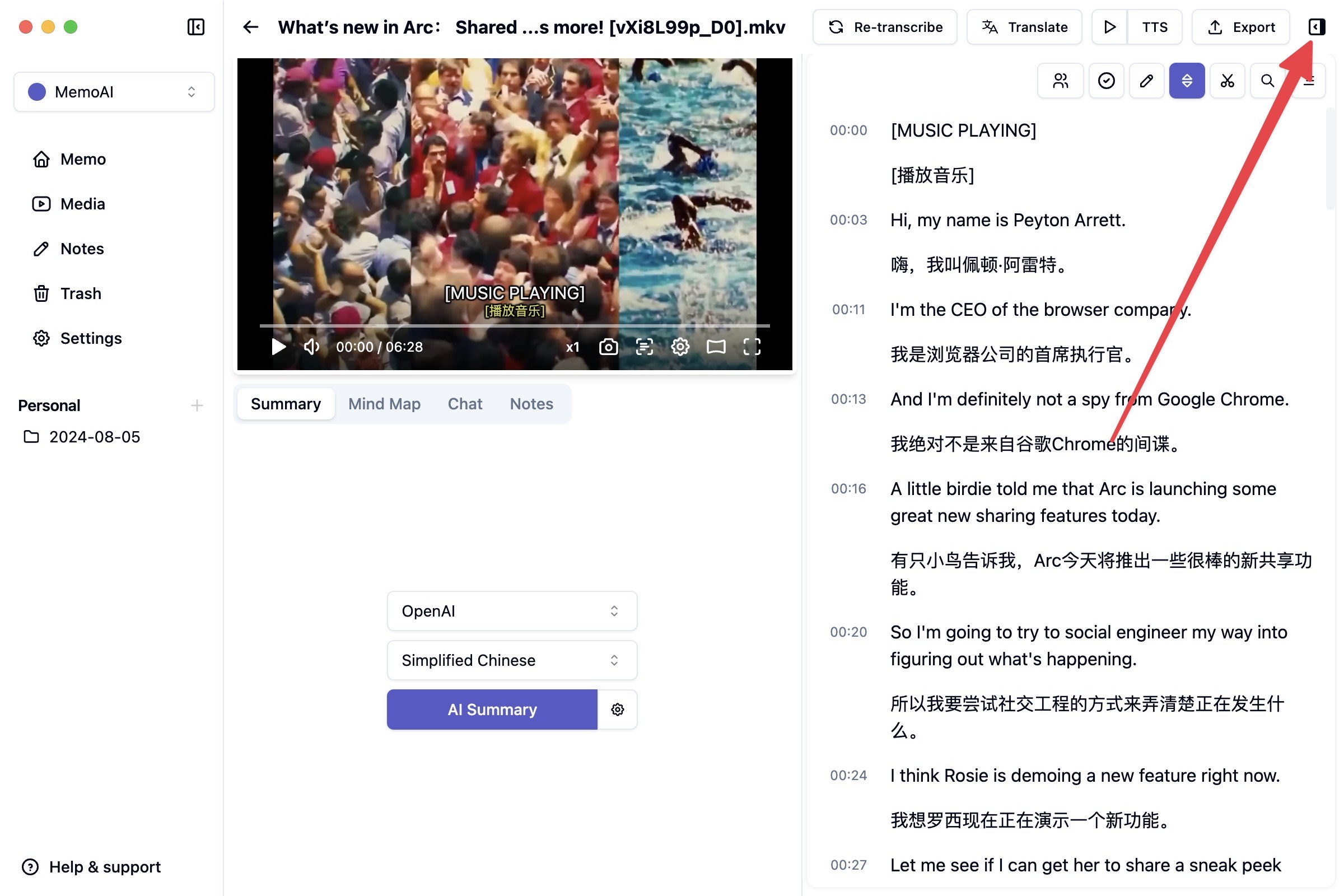
Step 1: Click the expand button in the upper right corner
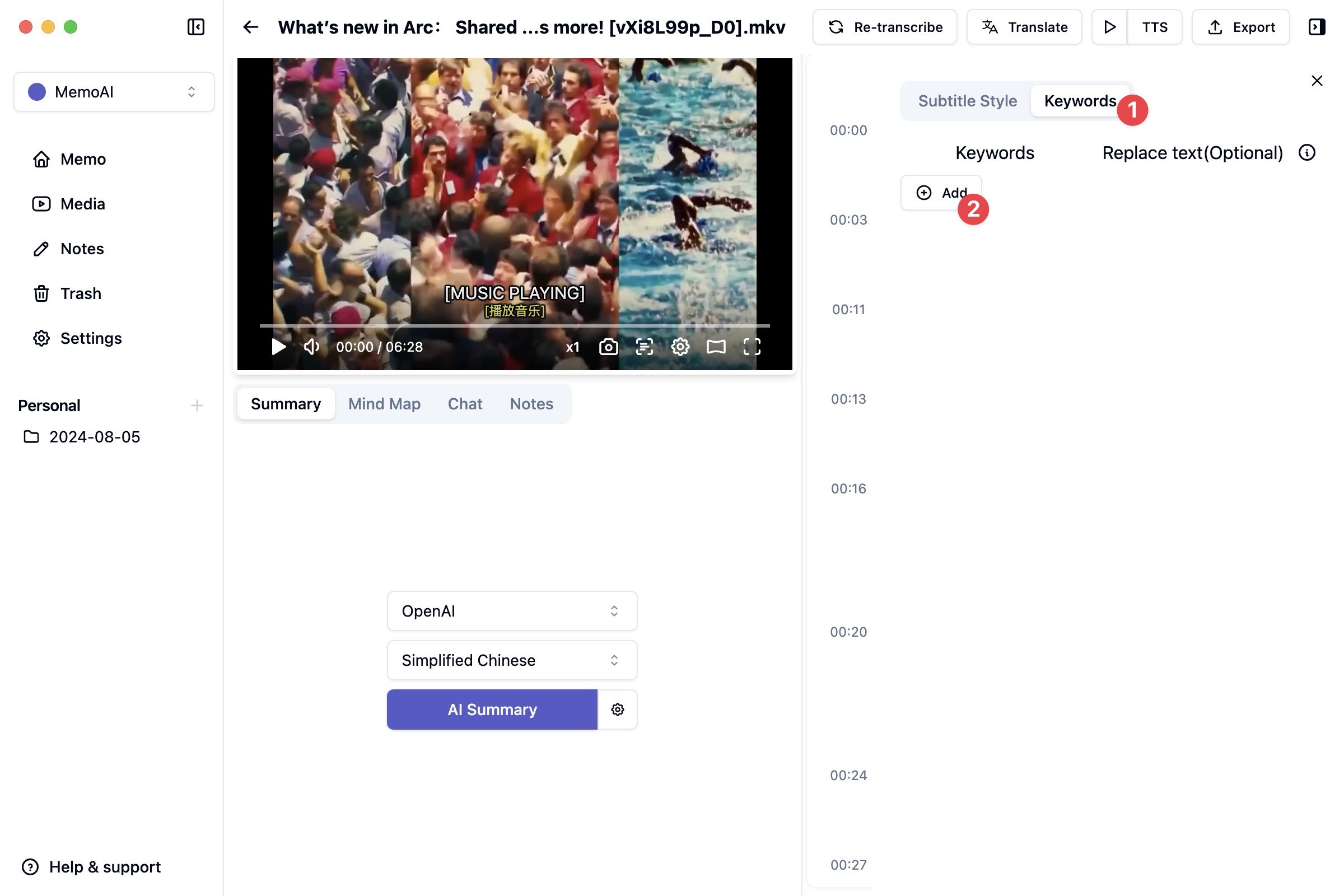
Step 2: Choose keyword filtering in the expanded panel
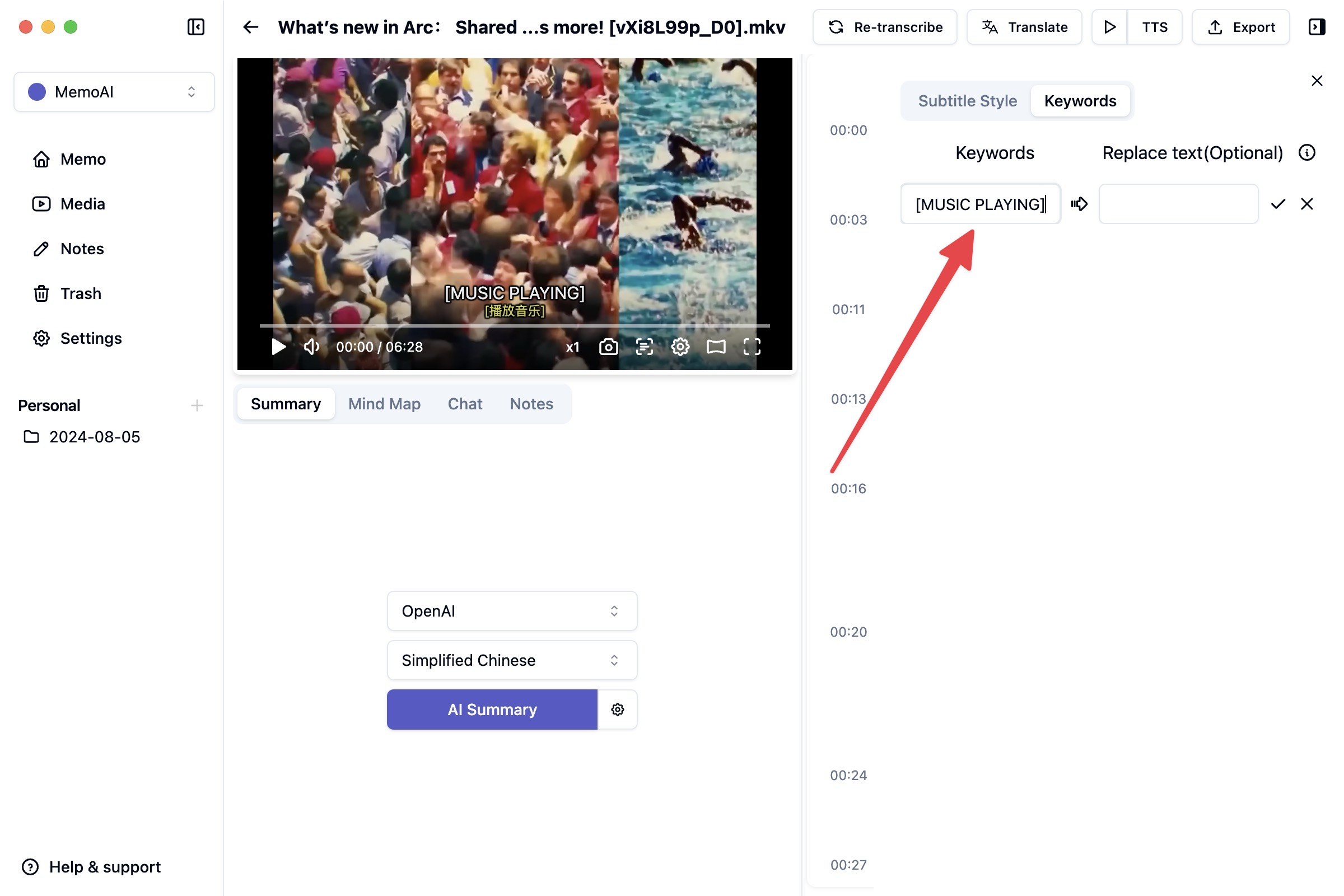
Step 3: Click add and fill in the required keywords, such as [MUSIC PLAYING]
In a special case where you only need to remove [MUSIC PLAYING] without replacing it, just leave the replacement field empty.